Secret Inputs When Invoking a Process via Webhook APIs
In orchestration use cases, it's important to pass sensitive or confidential inputs such as tokens, credentials or environment-specific parameters to a workflow securely. This document outlines how to pass such secret data when invoking a process using the Webhook API.
When invoking a workflow process via Webhook API, secret can be securely included in the request body ensuring that they are not logged or exposed in plain input/output traces. It must only be accessible within the context of the invoked process.
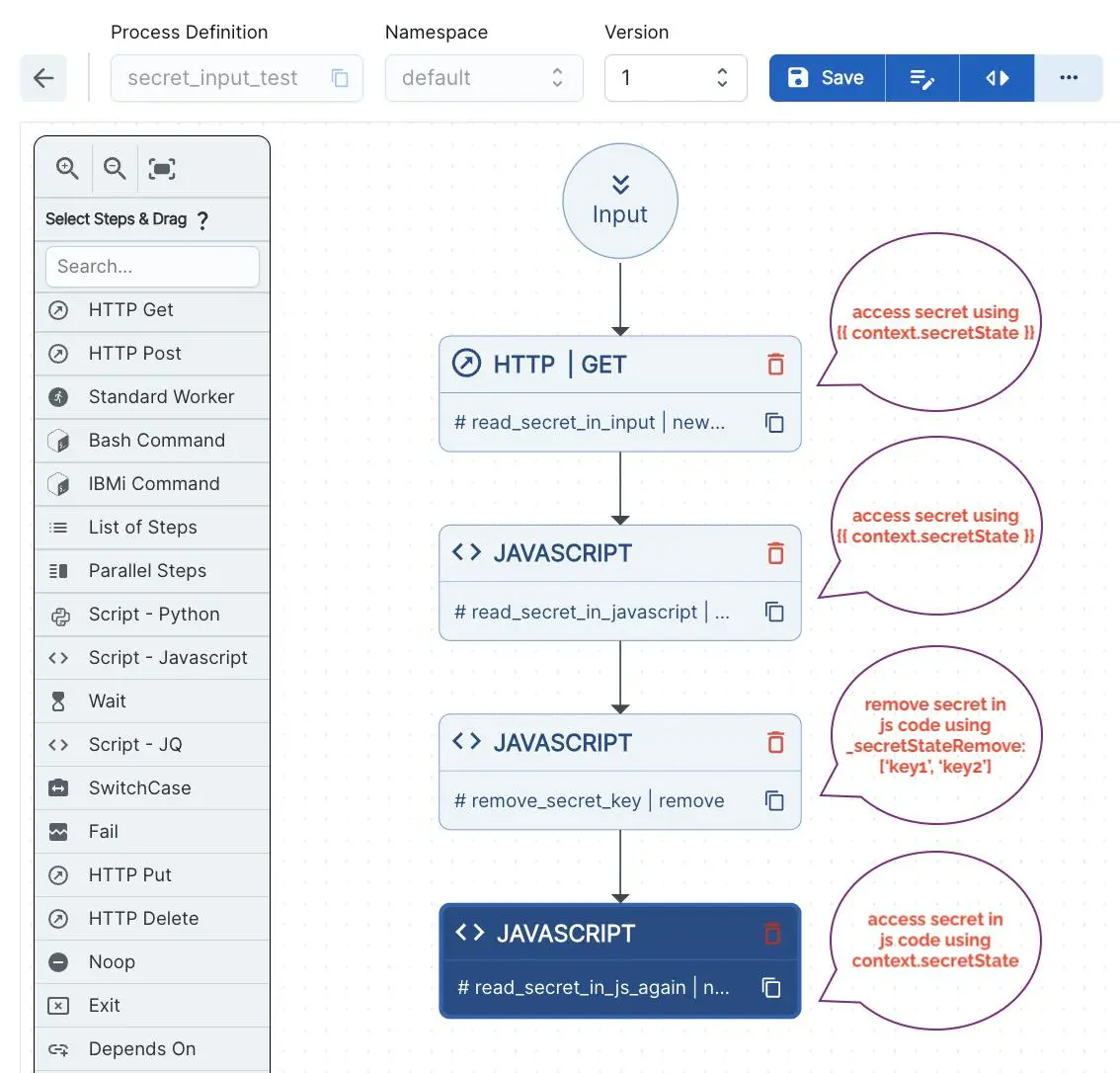
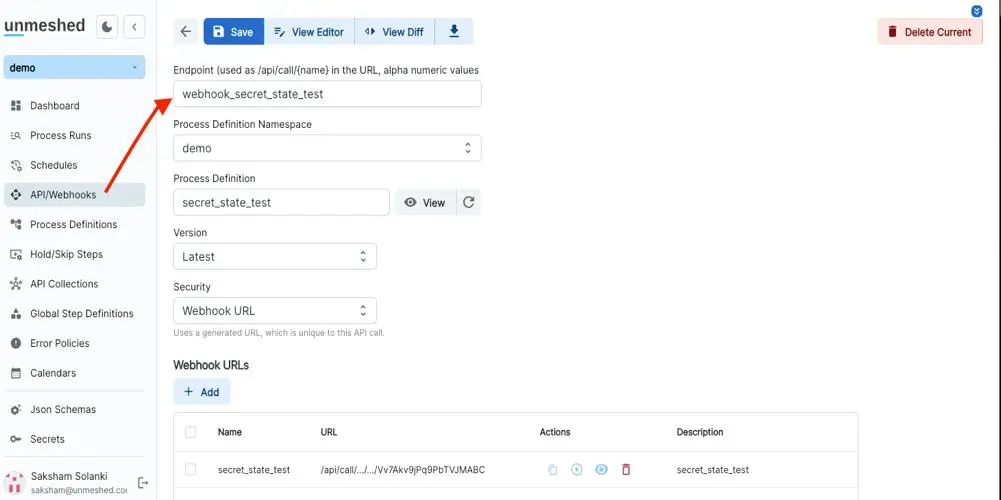
Create webhooks and associating process
Process Definition
Webhook Definition
API Invocation Example
Here is a sample curl request used to invoke a workflow using the Webhook API, while securely passing secret inputs:
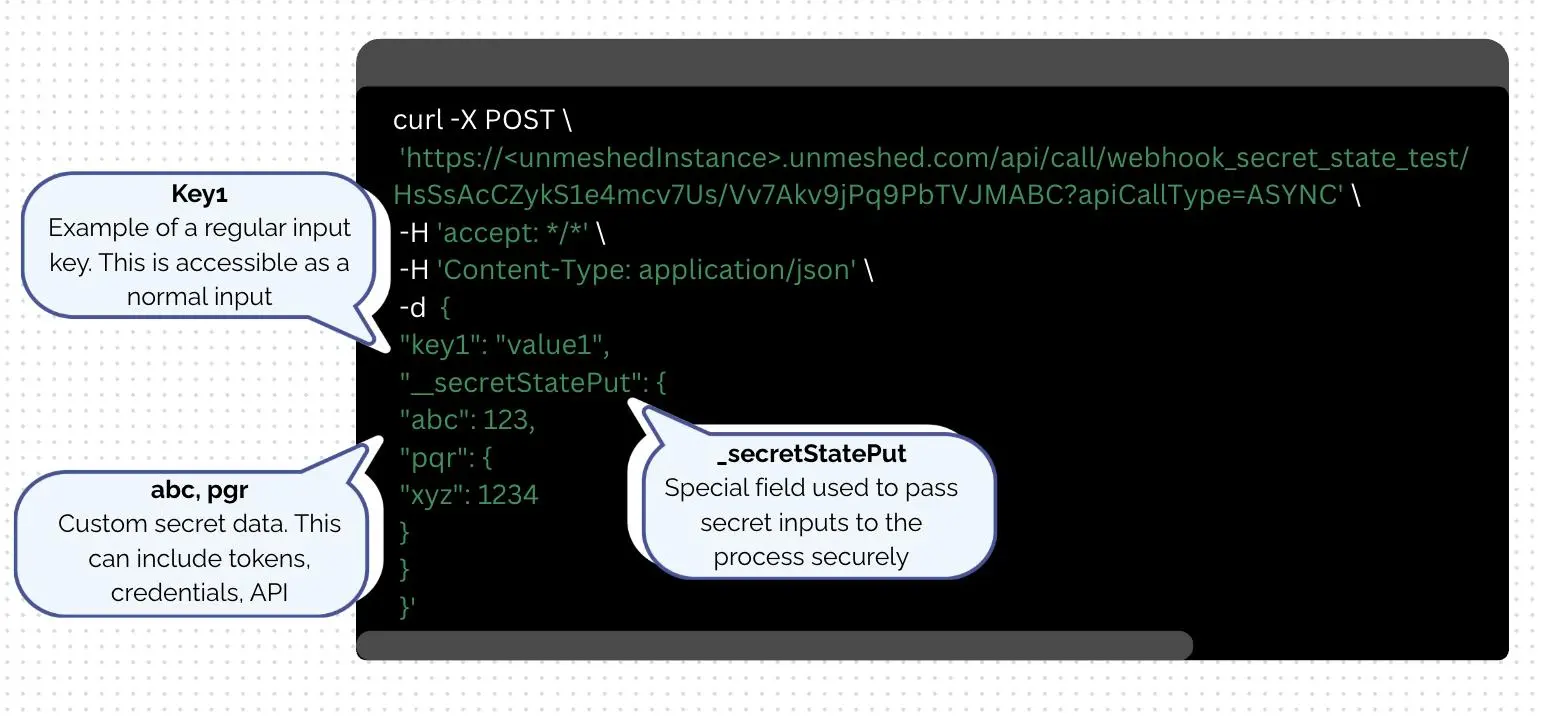
To trigger a workflow in Unmeshed using the Webhook API, you can send a simple POST request with your input data in JSON format. In the example above, the workflow is invoked asynchronously using a secure URL that uniquely identifies the workflow.
Along with regular inputs like "key1": "value1", you can safely pass sensitive data using the _secretStatePut field, which ensures that secrets such as API keys or credentials are handled securely within the workflow.
What is _secretStatePut?
The _secretStatePut object allows user to provide inputs that are treated as secrets by the Unmeshed platform:
- Not visible in logs or process summaries unless exposed in step’s output or in logs of steps.
- Not returned in API responses.
- Accessible only within the running workflow’s secured execution context.
- Ideal for passing things like:
- Access tokens
- Encrypted configurations
- Internal system credentials
You can use this feature for a variety of secure automation scenarios, such as triggering a deployment pipeline with environment-specific credentials, kicking off a data ingestion job that requires access to protected APIs. This lets you run powerful, event-driven automation without exposing sensitive information in your request payload.